
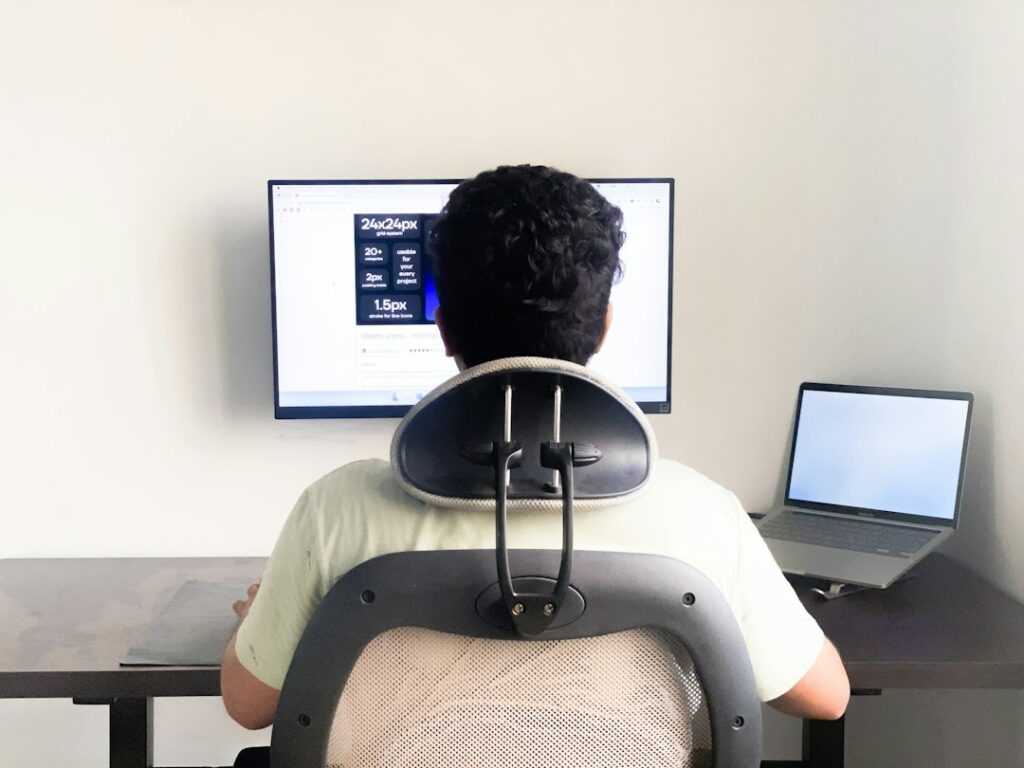
Why ergonomics matters for students
Ergonomics is the practice of arranging a child’s environment and daily activities so the body can work comfortably and efficiently. For students, that includes sitting at a desk, using a laptop or tablet, reading, writing, carrying school materials, and taking part in hobbies or gaming.
Poor positioning does not automatically cause an injury, but long periods of awkward posture can contribute to neck, shoulder, back, wrist, or eye discomfort. Children may also ignore early symptoms because they are focused on homework, online activities, or play. A few simple changes at home can reduce unnecessary strain.
For families in Penfield, seasonal routines can make this especially relevant. Homework areas may shift between rooms during the school year, and winter weather can lead to more indoor screen time. A workstation that works for a short assignment may not be suitable for several hours of study.
How should a child sit while doing homework?
A child should sit with the back supported, feet supported, and shoulders relaxed. The goal is not to hold one rigid “perfect” posture but to create a comfortable position that can change throughout the activity.
Check the following:
- The child’s hips should be positioned toward the back of the chair.
- The lower back should have gentle support from the chair or a small cushion.
- Both feet should rest on the floor or on a stable footrest.
- Knees should be comfortably bent, generally near a right angle.
- Elbows should remain close to the body rather than reaching far forward.
- The head should stay balanced over the shoulders instead of dropping toward the screen.
- The work surface should allow the shoulders to remain relaxed.
If a table is too high, a child may lift the shoulders or bend the wrists upward. If the chair is too tall, the feet may dangle, causing the child to slide forward or lean against the desk. A box, sturdy footrest, or other stable support can help, provided it does not create a tripping hazard.
Children do not need expensive furniture. The most useful arrangement is one that fits their current size and can be adjusted as they grow.
Where should a laptop, monitor, or tablet be placed?
A screen should be directly in front of the child rather than far to one side. This helps the head and torso face forward and reduces repeated neck rotation.
For a desktop monitor, the top portion of the screen is often most comfortable at or slightly below eye level. The screen should be far enough away that the child can read without leaning forward. Large text is preferable to bringing the face close to the display.
Laptops create a common compromise because the keyboard and screen are attached. Raising the screen may improve neck position but make the hands reach upward. Keeping the laptop low may help the arms but encourage the head to bend down. For longer assignments, an external keyboard and mouse can allow the screen to be raised while the hands stay near elbow height.
Tablets are easiest to misuse because children often hold them in their laps or look down for long periods. A stand or angled support can reduce neck bending. The child should still change positions regularly rather than remaining in the same pose.
Glare can also affect posture. If a screen is difficult to see because of sunlight or overhead lighting, a child may lean forward or tilt the head. Adjusting the screen angle, room lighting, or window coverings may help.
How often should students take movement breaks?
Children should avoid sitting in one position for long, uninterrupted stretches. Short, frequent movement breaks are generally more useful than waiting until discomfort develops.
During a break, a student might:
- Stand and walk around the room.
- Roll the shoulders gently.
- Look across the room to relax the eyes.
- Stretch the fingers and open and close the hands.
- Switch from typing to reading on paper.
- Refill a water bottle or perform another brief standing task.
A practical routine is to interrupt computer work about once each hour, with shorter posture changes occurring more often. Younger children may need movement opportunities much sooner because they naturally have shorter attention spans.
Movement should not be treated as a reward that can only happen after homework is complete. Alternating sitting, standing, walking, reading, and writing can make study sessions more sustainable.
What is the safest way for children to carry a backpack?
A backpack should fit the child’s body and be carried with both shoulder straps. Wearing it on one shoulder can cause uneven loading and may encourage leaning.
Helpful habits include:

- Choose a pack with two broad, padded shoulder straps.
- Adjust the straps so the pack rests close to the back.
- Keep heavier items low and near the center of the pack.
- Use waist or chest straps if the backpack has them and the child finds them comfortable.
- Remove items that are not needed that day.
- Lift the backpack by bending at the knees and bringing it close to the body before putting it on.
There is no single weight that feels the same for every child. A backpack that causes pain, numbness, tingling, unusual fatigue, or difficulty walking is too heavy or poorly adjusted, even if the scale number seems acceptable.
Rolling bags can reduce shoulder loading but may be awkward on stairs, uneven sidewalks, snow, or crowded school corridors. The most suitable option depends on the child’s route, school rules, and ability to handle the bag safely.
Are slouching and “text neck” permanent problems?
Occasional slouching is normal and does not mean a child has damaged the spine. The concern is prolonged, repeated positioning combined with limited movement, heavy loads, or activities that consistently cause symptoms.
Reminding a child to “sit up straight” may help briefly, but environmental changes usually work better. Bringing the screen closer to eye level, supporting the feet, reducing unnecessary backpack weight, and scheduling movement breaks can make a comfortable posture easier to maintain.
Children should also be allowed to use different positions. Sitting upright, leaning back with support, standing briefly, or working at a properly arranged surface may all be appropriate. Comfort and regular movement matter more than maintaining one fixed pose.
When should discomfort be taken seriously?
Mild tiredness after a long day often improves with rest and movement. Persistent or worsening symptoms deserve closer attention, particularly if a child experiences:
- Repeated neck, back, shoulder, wrist, or hand pain
- Numbness, tingling, weakness, or loss of grip
- Pain that interrupts sleep, schoolwork, sports, or play
- Headaches associated with screen use or neck positioning
- Difficulty walking, lifting, or using an arm normally
- Symptoms following a fall, collision, or other injury
A child who reports these symptoms should be encouraged to tell a parent, teacher, school nurse, or healthcare professional. Sudden weakness, severe pain, loss of coordination, or symptoms after a significant injury require prompt medical attention.
An ergonomic setup cannot replace adequate sleep, physical activity, vision care, or evaluation of an underlying health problem. It is one practical part of helping children learn, move, and participate comfortably throughout the school year.
